
Gift Cards


Crypto


Utility


October 24, 2024
How to Remove Private Number in Nigeria
Share post on


In today’s digital age, privacy and security are at the forefront of telecommunications concerns. Many individuals in Nigeria find their phone numbers inadvertently set to “private,” which can lead to a range of communication barriers. This article provides a detailed guide on how to remove your private number in Nigeria, ensuring your contacts always know it’s you calling.
What is a Private Number?
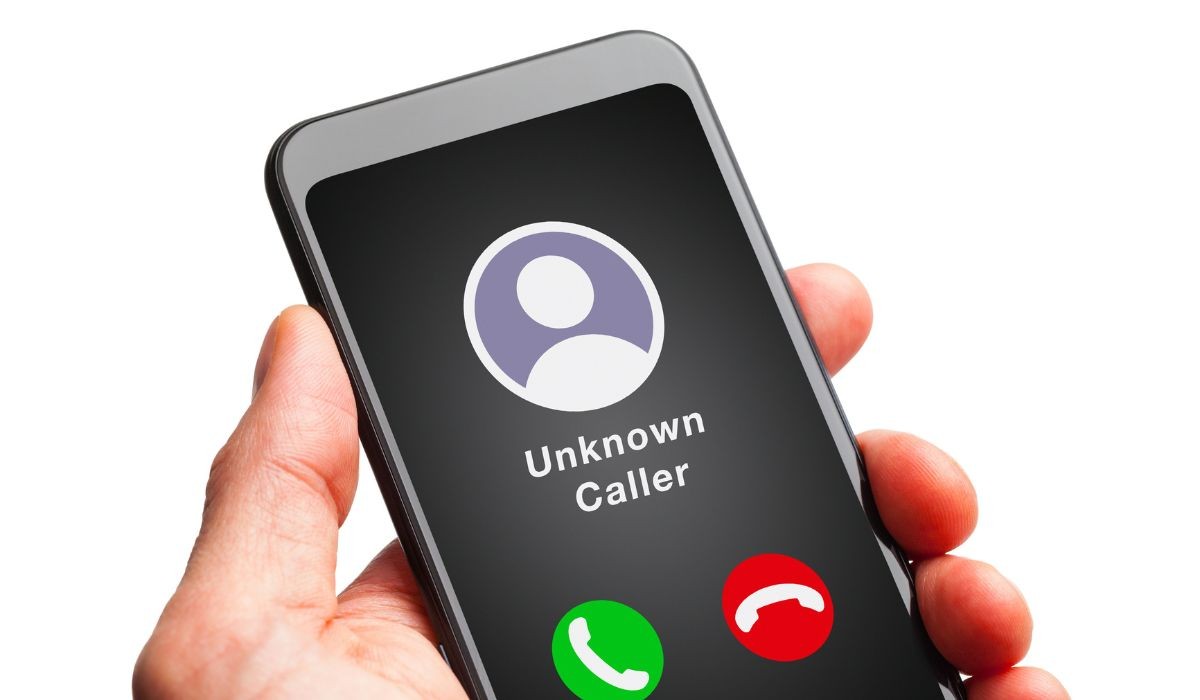
A private number, often displayed as “Unknown” or “Private” on caller ID, is a phone number that has been hidden from the recipient. This feature is used for various reasons, including privacy protection and anonymous calling. However, it can sometimes be activated unintentionally, leading to confusion and missed connections.
Understanding the Phenomenon
The activation of the private number feature is commonly due to default settings on mobile devices or specific requests to network providers. In Nigeria, where mobile communication is essential, being unreachable or marked as unknown can disrupt personal and professional interactions.
How to Remove Your Private Number on Android and iOS Devices
Removing the private number setting varies between Android and iOS devices, but both processes are straightforward.
For Android Users:
- Open the Phone app.
- Tap the three dots or More options.
- Go to Settings > Calls > Additional settings > Caller ID.
- Choose “Show number” to disable private number settings.
For iOS (iPhone) Users:
- Go to Settings > Phone.
- Tap Show My Caller ID.
- Toggle the switch to enable Caller ID, making your number visible to recipients.
These steps ensure your number is displayed during outgoing calls, enhancing transparency and connectivity.
Deactivating Private Number *31#
Regardless of whether you’re with MTN or Airtel in Nigeria, the process to make your number visible is similar:
- Deactivate Private Number: Dial *31# from your device. This applies to both MTN and Airtel users.
- Confirmation: You’ll receive a confirmation message, indicating your number will be visible for subsequent calls.
- Verification: Dial *#31# to check the current status of your Caller ID feature.
For Airtel users who prefer a temporary solution:
- Temporary Visibility: Dial #31# followed by the phone number you wish to call. Your number will appear as normal to the recipient for that specific call.
How to Reactivate Your Private Mobile Number
Should you decide to revert to a private number for certain calls:
- For MTN and Airtel Users: Dial #31# followed by the phone number you are calling.
- For Android: Reverse the process by selecting “Hide number” in the Caller ID settings.
- For iOS: Disable the “Show My Caller ID” toggle in the Phone settings.
Risks of Calls by Private Number
Receiving calls from a private number can be unsettling. Risks include unwanted solicitation and scams. To combat this, use call-blocking features on your phone or contact your network provider for assistance.
Tips to Avoid Scams from Hidden Numbers
Performing digital transactions online, it can be a seamless experience if you’re aware of how to avoid potential scams, especially from calls with hidden numbers. Here’s a brief guide to keep your investments safe:
- Spot the Red Flags: Be wary of unsolicited calls from private numbers claiming to represent crypto trading platforms.
- Check Conversion Rates: Before buying Bitcoin, always verify the current BTC to NGN conversion rates to ensure you’re getting a fair deal.
- Choose Trusted Platforms: Only trade on reputable platforms. Research and confirm their credibility to avoid scams.
- Direct Communication: If contacted unexpectedly, reach out directly to the service through their official contact methods for verification.
Staying informed and cautious is your best defence against scams in the digital environment.
Blocking Unknown Callers
Android Devices:
Android smartphones offer user-friendly settings to block unknown or private callers. Follow these steps to ensure you’re not disturbed by unwanted calls:
- Open the Phone App: Launch the phone app on your Android device.
- Access Settings: Tap on the three dots in the top-right corner to open the menu, then select ‘Settings’.
- Find the Blocking Section: Look for a section labeled ‘Blocked numbers’, ‘Call blocking’, or something similar.
- Activate Block Unknown Callers: Toggle on the option to block calls from unknown numbers. This setting may be named ‘Block unknown callers’ or ‘Block numbers not in contacts’.
With these simple steps, Android users can easily filter out calls from numbers that are not recognized, ensuring only familiar contacts can reach you.
iOS Devices
Apple’s iOS also provides a straightforward method for blocking unknown callers, ensuring iPhone users can enjoy uninterrupted privacy:
- Open Settings: Start by opening the Settings app on your iPhone.
- Navigate to Phone Settings: Scroll down and tap on ‘Phone’.
- Select Silence Unknown Callers: Look for the ‘Silence Unknown Callers’ option and tap it.
- Enable the Feature: Switch the toggle to the ON position to activate this feature.
Once enabled, calls from unknown numbers will be automatically silenced, sent to voicemail, and displayed in the ‘Recents’ list, allowing you to review them at your convenience.
FAQs Caller ID & Privacy in Nigeria
Can switching network providers affect my caller ID settings?
Switching network providers might reset your caller ID preferences to the default settings of the new provider. It’s advisable to check and adjust your caller ID settings after changing providers to ensure they align with your privacy preferences.
How do I manage caller ID settings for dual SIM phones?
For dual SIM phones, caller ID settings need to be managed for each SIM card separately. This usually involves going into the settings for each SIM (if your device allows individual SIM settings) and adjusting the caller ID preferences as desired.
Are there any legal restrictions on using a private number in Nigeria?
While using a private number for personal privacy is generally acceptable, there might be legal restrictions on using such features for certain purposes, like telemarketing or fraud. It’s important to use the private caller ID feature responsibly and within legal boundaries.
Can I set my number to private for text messages as well?
The ability to hide your number when sending text messages varies by network and isn’t typically supported directly through standard SMS technology. However, certain apps and services offer the ability to send messages without disclosing your number.
Is it possible to customise what the receiver sees instead of my number? Customising what the receiver sees (e.g., displaying a name or business instead of a number) generally requires the use of VoIP (Voice over Internet Protocol) services or specific business telecommunications solutions rather than standard network settings.
Conclusion
Managing your caller ID in Nigeria is crucial for effective communication. Whether you’re using an Android or iOS device, or subscribed to MTN or Airtel, the steps outlined in this guide will help you ensure your number is visible to recipients. Understanding how to toggle between private and visible caller ID settings not only enhances your control over your phone but also contributes to a safer telecommunications environment. Stay informed, stay connected.
Also read:
How To Check Airtime And Data Balance On MTN, Airtel, GLO, and 9Mobile
Is Cryptocurrency Different from Bitcoin?
Google Play Gift Cards: Everything You Need to Know About Them
Amazon Gift Cards: Everything You Need to Know About Them
How Much Is $100 Amex Gift Card To Naira.
References
- “Telstra – Products & Solutions – Access for Everyone”. telstra.com.au. Retrieved March 29, 2020.
- Richard L Meislin (September 14, 1976). “A.T.&T. Describes Its Policy on Releasing Unlisted Phone Numbers to Law Enforcement Agencies”. The New York Times. Retrieved September 20, 2022.
- Robert A. Wright (December 22, 1971). “For Privacy From Cranks, Creeps and Crooks, Millions Getting Unlisted Phone Numbers”. The New York Times. Retrieved September 20, 2022.
- How to Remove Private Number in Nigeria



Ridima is a giftcard trading platform available on Android, IOS, & Web.


For marketing and partnerships: marketing@myridima.com
support@myridima.com
© 2026 Ridima. All Rights Reserved